
When I decided to make my side hustle “Google official,” I pictured a maze of forms, passwords, and techy words that would make my eyes glaze over. I assumed it was something only big brands or full-time marketers could figure out. The truth? It’s way simpler than I expected. Most of the process is just clicking “Next,” typing in basic info, and uploading a few photos. If you can order groceries from your phone or fill out an online school form, you can get your business on Google—seriously.
But here’s what no one tells you: setting up your business on Google isn’t just about showing up in search results. It’s about showing customers that you’re real, trustworthy, and open for business. Whether you run a local cleaning service, design digital products, or sell handmade crafts from your kitchen table, being visible on Google gives you instant credibility. When people can find your name, see photos, read reviews, and click to call or shop, they’re more likely to choose you over someone who’s just a social media post floating in the void.
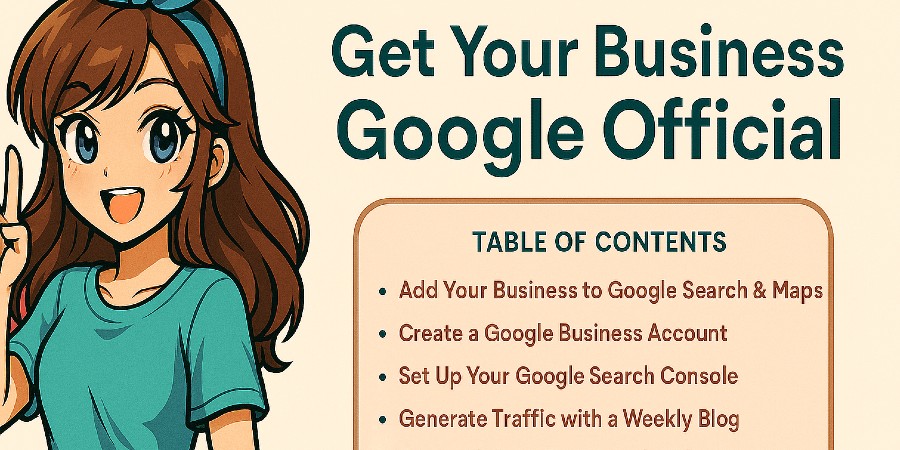 Getting started might feel intimidating at first, especially if you’ve never dealt with words like “indexing” or “business verification.” I get it. But this guide breaks everything down into plain English—no marketing lingo or tech-speak, just what actually matters. I’ll show you the same steps I used to get my own online projects listed on Google, from creating a Google Business Profile to setting up a Google Business Account that keeps your personal and work life separate. Once you’ve done it once, it’ll feel second nature.
And if you ever decide to take it one step further, you can even create a Google Ads account to attract new customers right where they’re searching. Think of it as the digital version of putting up a sign on Main Street—only this one works while you’re folding laundry or waiting in the school pick-up line. We’ll keep this guide human, mom-to-mom, and totally doable. Ready to make your business “Google official”? Let’s dive in.
Why Getting Your Business on Google Matters
Think of Google as the digital Main Street. When people search for what you sell — “custom cupcakes near me,” “budget planner printables,” “mobile hair braiding,” “house cleaning on Saturdays” — you want your name, photos, and contact info to appear instantly. A Google Business Profile does exactly that. It’s free. It shows up in Search and Maps. And it makes you look legit with reviews, hours, and a real presence customers can trust.
Three benefits you’ll feel quickly:
- Visibility: Your business can appear in local packs and on Google Maps when people are ready to buy or book.
- Trust: A verified listing with consistent details and a few real photos beats a random Facebook page any day.
- Control: You can update hours, add services, post offers, and respond to reviews — all from your phone.
If your business is online-only (Etsy, Shopify, digital downloads), it still matters. You can hide your home address, set a service area, and point people directly to your shop or website. If you’re local, showing on Maps is huge — nobody scrolls past the first few listings when they’re standing in a parking lot with hungry kids and searching “pizza open now.”
Step-by-Step: Add a Business to Google
Set aside 15–20 minutes for this part. You can start on desktop or phone — both work.
- Go to google.com/business and click Manage now.
- Sign in with your Gmail (or create one). You can switch to a dedicated business account later; no stress.
- Enter your business name. If a similar name appears, double-check you’re not creating a duplicate.
- Pick the best category. Don’t overthink it — you can add secondary categories later. (Ex: “Home cleaning service,” “Online retailer,” “Baker.”)
- Address vs. service area: If you work from home, choose the option to hide your street address and set a service area instead.
- Add contact info: Phone, website, and any booking links. If you don’t have a site yet, link your shop or a simple landing page.
- Verification: Google may mail a postcard, call, text, or email. Enter the code when it arrives to publish your profile.
- Complete your profile: Add hours, business description, photos, and a logo. Publish. Done.
Mom tip: If you sell at pop-ups or markets, use a service area and list typical hours (“By appointment” works). You can add “special hours” for events later.
Make Your Google Business Profile Pop
Your profile is your storefront. A complete, fresh listing gets more clicks. Take 10 extra minutes to polish:
Write a clear description
Use plain language that mirrors what people actually type into Google. Example: “I bake custom birthday cupcakes, dairy-free cakes, and brownie platters for pickup in Greenwood and delivery within 10 miles.” Natural, specific, and location-aware.
Add photos that prove you’re real
- Logo (even a simple text logo is fine)
- Products or services in action (before/after for cleaning, finished sets for nails, screenshots for digital products)
- You! A friendly owner photo builds trust.
Fill your services and attributes
Use service names your customers understand. If you’re a cleaner, list “Move-out clean,” “Deep clean,” “Weekly tidy.” If you sell digital, list “Budget printables,” “Meal-planning templates,” “Classroom bundles.”
Turn on messaging (optional)
Messaging can be convenient, but don’t feel pressured if you can’t respond quickly. Slow replies hurt. If you turn it on, set expectations in your description (“I reply within 24 hours”).

How to Create a Google Business Account
Keeping personal and business separate = sanity. A dedicated account gives you focused email, shared access (if your partner helps), and cleaner bookkeeping.
- Visit business.google.com or add a new account in your Google settings.
- Select “For work or my business.”
- Create your business email (you can start with @gmail.com or connect a domain later).
- Add your business name and basic info.
- Use this account to manage your Google Business Profile, Drive/Docs, YouTube, and Ads.
Reality check: You don’t need a paid plan on day one. You can grow into custom domain email later. The win here is separation and organization.
Optional: Set Up a Google Ads Account
Organic visibility is fantastic, but sometimes you want results fast — like during holiday markets or a new launch. That’s where Google Ads helps. Start tiny, test, and scale only what works.
- Go to ads.google.com and click Start now.
- Log in with your business account and choose a simple goal: website visits, phone calls, or store visits.
- Pick your location. Be specific (zip codes or radius) if you’re local; keep broader if you’re digital.
- Choose a small daily budget you’re okay testing with (think $3–$10/day to start).
- Write straightforward ad copy: problem → benefit → action. Example: “Need Move-Out Cleaning? Flat Rates. Weekend Openings. Book Today.”
- Link to the page that best answers the searcher’s intent (your service page, product page, or GBP call button).
Mini pro tip: Don’t run “everything” at once. One campaign, a few focused keywords, and a clear landing page beat a messy kitchen-sink setup.
Common Mistakes to Avoid
- Using a fake address: Google will flag you. If you’re home-based, hide the address and set a service area.
- Duplicate profiles: If you rebrand or move, update your existing listing rather than creating a new one.
- Empty profiles: No description, no photos, no hours = fewer clicks.
- Ignoring reviews: Respond kindly and briefly — even to tough ones. Future buyers read how you handle them.
- Inconsistent info (NAP): Your name, address, and phone should match across your site, Facebook, and directories.

How to Get Found Faster
Collect reviews the friendly way
Drop a short link after a job or purchase: “If you loved your order, reviews help small businesses like mine be found — thank you!” Keep it simple. A steady trickle of real reviews beats a one-time burst.
Post updates
Use the Posts feature in your profile to share weekly specials, new products, or blog articles. Tie posts back to your site — for example, link to your side hustle guides or a helpful resource in Life Unfiltered.
Use real keywords in plain English
Think like a customer. “Birthday cupcakes Greenwood,” “same-day house cleaning,” “printable budget planner PDF.” Sprinkle these naturally in your description and on your site.
Measure What’s Working (and What Isn’t)
You don’t have to become a data scientist. Check these once a week:
- Profile insights: Views, calls, direction requests, website clicks.
- Top search terms: The exact phrases people typed before finding you — use those in your copy.
- Photo views: Keep adding fresh photos if yours trail similar businesses.
If you run Ads, track which keywords and ads actually bring leads or sales. Pause what isn’t working and funnel budget to what is.
Beginner Budgeting for Google Ads
Start with a test budget you’re truly comfortable losing while you learn (that’s how I think about it). Example plans:
- $3/day for 14 days: Great for digital products or a simple local service test.
- $5/day for 30 days: Enough data to see patterns and keep what works.
- Weekend-only bursts: Run Friday–Sunday for local services when demand spikes.
Set a reminder to review results weekly. Small, steady tweaks beat big, panicked overhauls.
Troubleshooting & Verification Tips
Didn’t get a verification postcard?
Double-check your address formatting, request a new card, and consider phone or video verification if offered. While waiting, you can still finish your profile so it’s ready the moment you verify.
Profile says “suspended” or “needs review”
It happens. Make sure your business name matches signage/website, your categories are accurate, and your address situation follows the rules. Re-submit any requested documentation calmly. Keep your tone friendly — there’s a human reading it.
Multiple locations or service areas
Add locations one at a time and keep details consistent. For service areas, list realistic cities/ZIPs you truly serve to avoid unhappy customers 45 minutes away.
Real-Life Examples (Digital, Local, and Hybrid)
Digital: Etsy printables shop
Hide your home address, set a service area (nationwide is fine), link your Etsy or Shopify, and upload photos that feel personal (your desk, product screenshots, packaging). Post weekly updates featuring your newest bundle and link to your blog’s how-to posts for credibility.
Local: Cleaning service
Service area radius, clear hours, calls preferred. Add “Book Now” or “Get a Quote” as your main action. Post before/after photos (with permission). Ask for reviews after each clean — they are gold for local services.
Hybrid: Custom cakes
Service area + Instagram + simple website order form. Post “This Week’s Flavors,” display lead times, and show cakes at pickup. Use keywords like “birthday cupcakes Greenwood, smash cake, gluten-free options.”
Use Google Search Console to Get Indexed Faster
Here’s a step that most small business owners skip — and it makes a huge difference.
When you first build a website or publish new pages, Google doesn’t instantly know those pages exist. Its bots eventually find them, but that “eventually” could take weeks. The secret? You can tell Google yourself.
Google Search Console (GSC) is a free tool that lets you do exactly that. It’s like raising your hand and saying, “Hey Google, come crawl my site!”
How to Set Up Google Search Console
- Go to search.google.com/search-console.
- Sign in with the same Google account you used for your business.
- Choose “Domain” (to track everything) or “URL prefix” (for one site). If you’re using WordPress, URL prefix works great.
- Verify ownership — you can use your domain provider, upload a simple file, or connect through Google Analytics if you already have it set up.
Submit Your Pages for Crawling
Once your site is verified, click into the “URL inspection” bar at the top of Search Console. Paste the full link to your homepage or new blog post, then click Request indexing. That prompts Google’s bots to visit your page and add it to search results faster.
For brand-new websites or blogs, you’ll need to do this manually for every page and post at first. It sounds tedious, but it’s worth it — especially in those first few months while Google is still learning to trust your site.
After a while, as you post consistently, Google will crawl your new pages automatically.
Mom perspective: It’s like teaching a toddler to clean their room. You remind them over and over — and then one day, they finally do it without you asking. Search Console works the same way; once Google learns your site is active and reliable, it checks in regularly on its own.
Keep an Eye on Performance
Inside Search Console, you’ll find data that tells you how your site performs — which pages get clicks, what keywords people type, and whether there are any issues. This helps you refine your content and see which pages are pulling their weight.
If you ever wonder why a blog post isn’t ranking or a page disappeared from search, GSC is where you find your answer. You can fix broken links, resubmit pages, and make sure Google always has the latest version of your site indexed.

Why Every Business Needs a Blog
Even if your main focus is running a business, you’ll get far better long-term visibility if you also maintain a blog.
Think of blogging as a conversation with Google. Every new post you publish is like tapping Google on the shoulder saying, “Hey, I’m still here — come check this out.”
Blogging Helps You Rank Higher
Google loves fresh content. Sites that update regularly tend to rank higher than those that sit untouched for months. When you post once or twice a week, you’re feeding Google consistent signals that your business is active and trustworthy.
Each blog post gives you new opportunities to show up for different keywords and reach new potential customers.
Let’s say you own a cleaning business. You can write weekly posts like “5 Ways to Keep Your Kitchen Sparkling Between Deep Cleans” or “How to Choose Non-Toxic Cleaning Products for Kids and Pets.”
Each post targets search terms potential clients use, and at the same time, shows off your expertise.
It Drives Traffic to Your Website
Blogs pull in organic traffic that your static homepage might never reach. Someone might search “how to get gum out of carpet” and end up on your blog — then see your cleaning services and book a visit.
It’s passive marketing that keeps working 24/7 once the article ranks.
Over time, you’ll see your analytics grow from people who discovered you through helpful posts. Some will become repeat readers, others customers, and a few might even share your content — all of which signals to Google that your site is valuable.
It Opens Doors for Monetization
If you’re posting regularly and your traffic starts building, you can eventually apply for ad networks or affiliate programs to earn side income. It’s the same concept I use here on Mom Unfiltered: consistent, helpful articles that bring in readers who value honesty and real experience.
Even one blog post per week can pay off. But if you can swing two or three, it’s even better. Google notices frequent updates, and readers notice that you’re active and trustworthy.
Over time, your blog becomes a traffic engine that keeps your business front and center — even when you’re not actively advertising.
Blog Topics That Work for Business Sites
- Behind-the-scenes stories (how you started, lessons learned)
- How-to tutorials related to your products or services
- Customer success stories or testimonials
- Seasonal or trend-based content (like “spring cleaning checklist” or “holiday gift guide”)
- Answering FAQs your customers ask all the time
Blogging turns your site from a static brochure into a living, breathing part of your marketing strategy — one that keeps growing your reach and authority even when you’re busy living life.
FAQ: Quick Answers Moms Actually Need
Do I need a website first?
No. You can link to your shop, booking form, or even a single landing page. A website helps, but don’t wait to create your profile.
Can I use my home address?
Yes — but you can hide it. Choose a service area if you don’t serve customers at your home.
How long until I show up on Google?
It varies. Some profiles appear within days; others take a bit longer. Completing your profile, posting updates, and collecting reviews usually speeds things up.
Should I pay for ads right away?
Only if you have a clear goal and a small test budget. Organic (free) visibility plus reviews can take you far. Ads are a booster, not a bandage.
What if my business name changes?
Edit the existing profile rather than creating a new one. Keep your name, phone, and web links consistent everywhere you appear online.
Do I need a separate Google account for business?
You don’t need one, but it keeps life organized and lets you share access without sharing your personal inbox. I highly recommend it.
Final Thoughts
You don’t need an agency or an MBA to get found on Google. You need 20 minutes, a handful of photos, and the courage to click “Publish.” Whether you sell digital downloads during nap time or book weekend cleanings around soccer games, getting your business on Google makes you discoverable in the exact moment people are searching. Start simple, keep it honest, and improve week by week. You’ve got this — and I’m cheering you on.








Leave a Reply